
Is your school's data safe? 6 questions every proprietor should ask
Years of results, every student's records, every naira of fees: your school's data is its memory. Many schools only think about it after a laptop is stolen, a flash drive fails or a staff member leaves with the passwords.
Here are six questions to ask today, whatever system you use.
1. Is there a backup, and where is it?
A backup on the same computer as the original is not a backup. SkulPort backs up every school every night, on the server, away from the school's own computers, and keeps the recent copies.
2. Has anyone ever restored the backup?
This is the question most people forget. A backup that has never been restored may not work when you need it. SkulPort restores every night's backup into a test copy and checks every table (the number of rows and their contents) before marking it verified. If something does not match, it says so.
3. Who can see what?
The cashier does not need to see results, and a subject teacher does not need to see the fees of the whole school. SkulPort uses roles and permissions: ready-made roles (Teacher, Bursar, Cashier, Results Officer, CBT Officer and more), your own custom roles, and several roles for one person if needed.
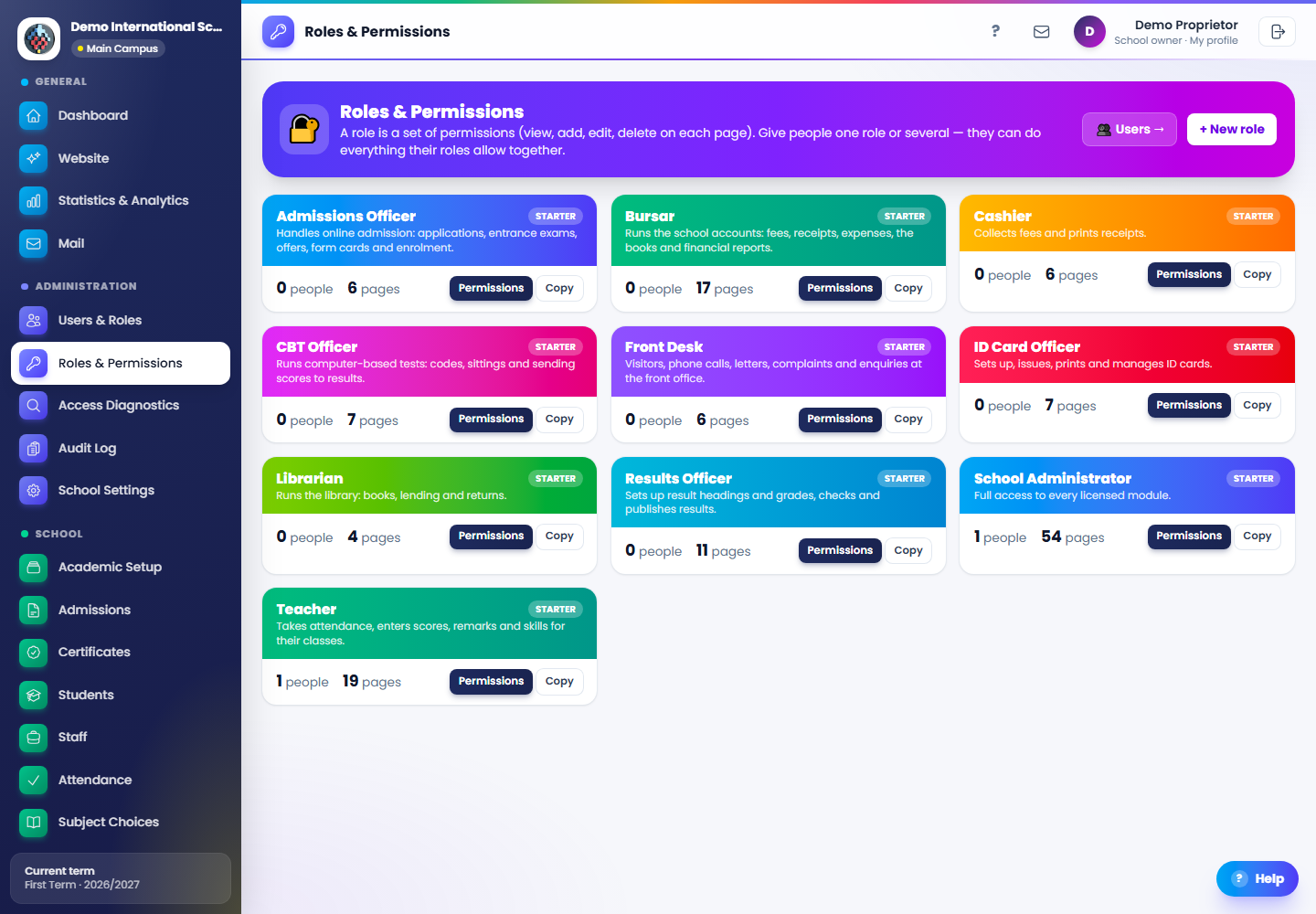 Roles & permissions: decide exactly who can view, create, edit or delete.
4. Can you see who changed what?
When a score changes or a payment is reversed, you should be able to find out who did it and when. SkulPort's audit log records important actions, including changes to roles and switching result maintenance mode on or off.
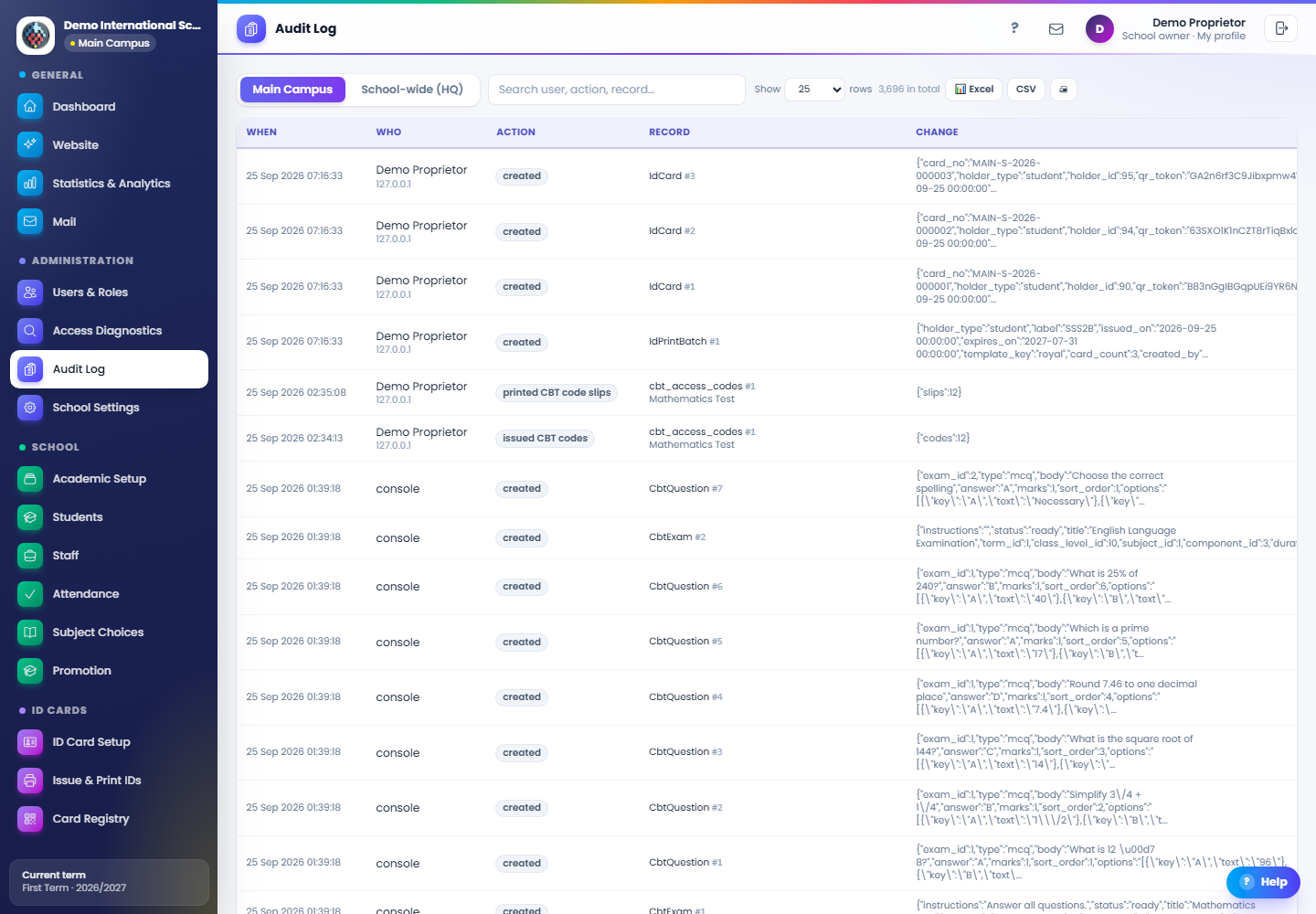 The audit log: who did what, and when.
5. What happens when someone leaves?
Switch their account off. In SkulPort a deactivated user is signed out at once, even if they are logged in at that moment. New staff get their own sign-in with the setup password 000000, which they must change the first time they sign in, so nobody shares passwords.
6. Is your data kept apart from other schools'?
On SkulPort each school has its own database. Your records are never mixed with another school's. If you prefer to keep everything on your own premises, SkulPort can also run on your own server.
A simple checklist
- Backups every night, away from the school's computers
- Backups tested by restoring them
- Every staff member with their own sign-in and the right role
- An audit log of important changes
- Accounts switched off the day someone leaves
If you cannot tick all five today, it is worth fixing this term, before you need it.
▶ Explore the live demo · Security & backup features · Call or WhatsApp 0803 292 9756
See SkulPort in action
A full demo school, open now. No sign-up.