
Moving from paper and Excel to SkulPort: a step-by-step plan for the new term
The biggest reason schools delay changing software is fear: of losing records, of confusing staff, of disrupting the term. Those fears are reasonable, and they are also avoidable. Here is the plan we follow with every school.
Week 1: Set up the school
Start with the structure, not the people:
- Sessions and terms, with next-term dates.
- Class levels and arms, from Nursery to SSS 3 (A, B, Gold, Silver, however you name them).
- Subjects for each class, core and electives.
- Your admission number format, so new numbers follow your own pattern.
This takes an afternoon, and the defaults already follow the Nigerian system.
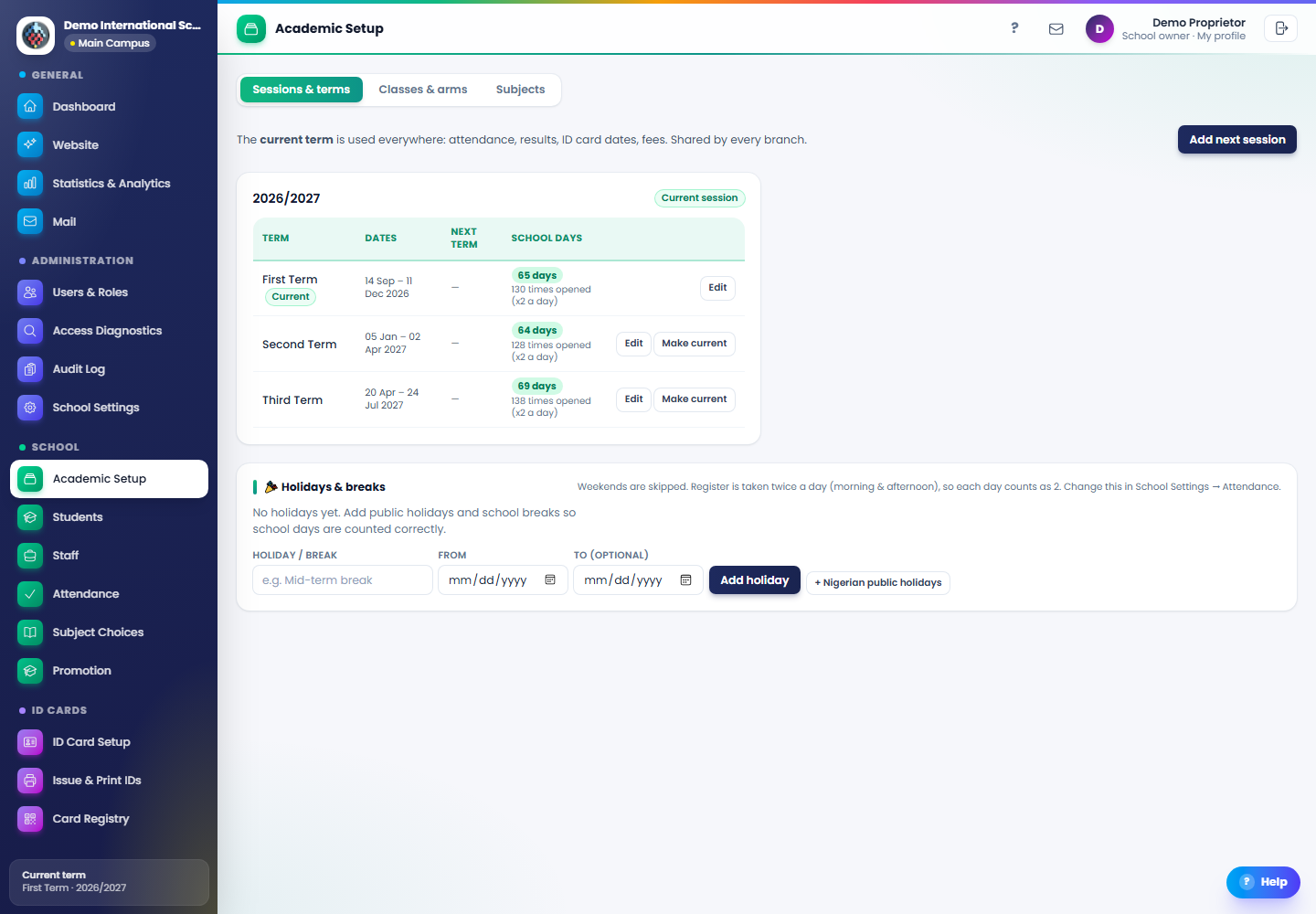 Academic setup: sessions, terms, classes, arms and subjects.
Week 1–2: Bring in your students and staff
Nobody should retype a thousand students. Use the Excel import: fill in the template (or send us your existing spreadsheet) and import the whole school, with parents' phone numbers. Brothers and sisters are then linked automatically by their parent's phone.
Moving from another school system? We can import from your old database as well. We check the import against the old records, counting students, parents and phone numbers, before you rely on it, and nothing in the old system is changed or thrown away.
Add staff the same way, then give each one a sign-in and a role with one click.
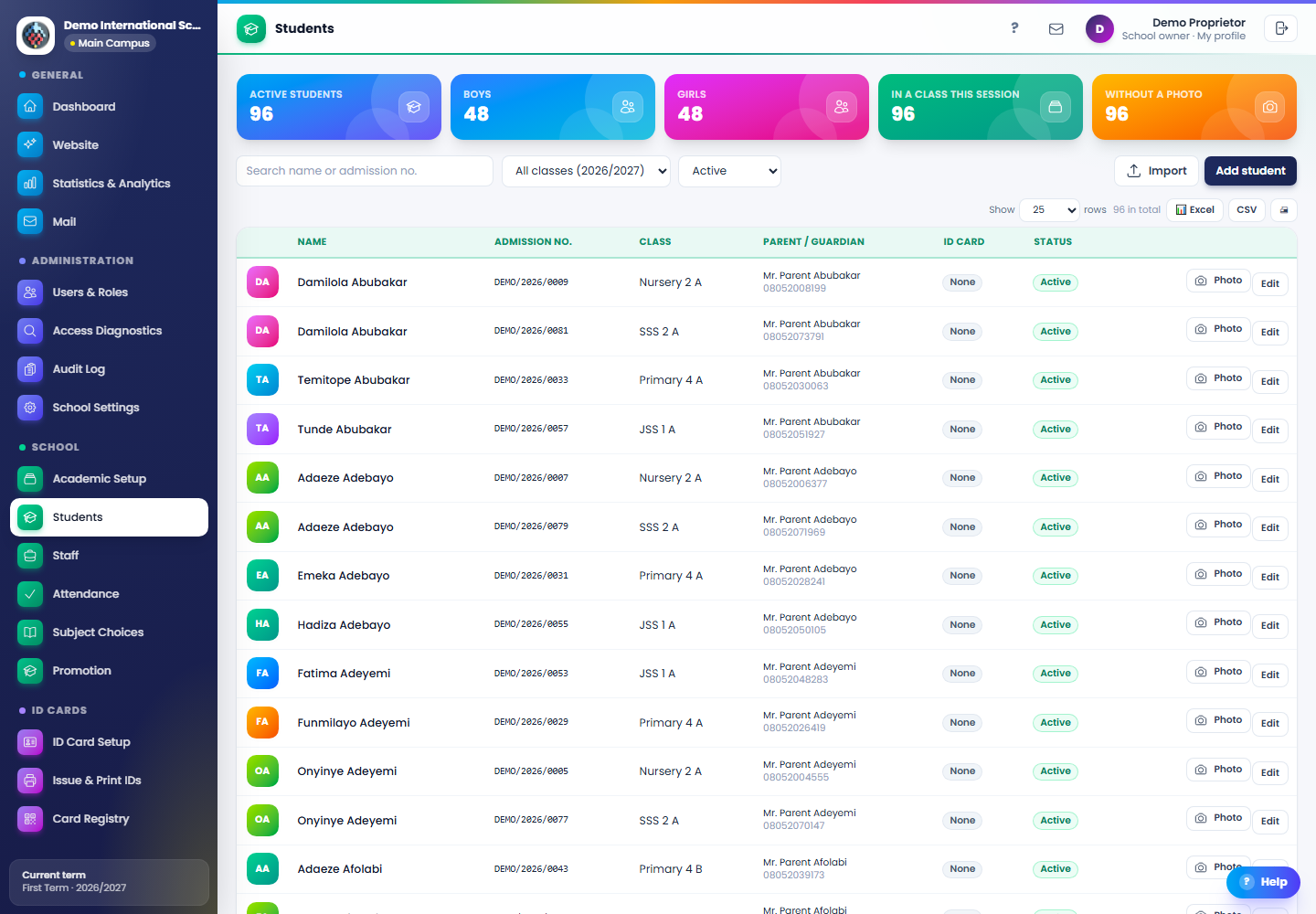 Students: every record with photo, class, parents and history.
Week 2: Train the people who matter most
Train in short sessions, by role:
- Teachers: attendance, score entry, homework. About an hour.
- Bursar and cashier: fees, receipts, expenses.
- Results officer: headings, grades, publishing.
- Front office: admissions, notices, messages.
Every page in SkulPort has help, and the user manual explains each screen. We can also train your staff on site.
Week 3: Go live, one area at a time
Do not switch everything on the same day. A common order is:
- Attendance and fees first (daily habits)
- Score entry during the term
- Report cards and publishing at the end of term
- The parents' portal, CBT and the website when staff are comfortable
Mid-session is fine
You do not have to wait for September. Many schools start in the second or third term: bring in the current students and, where possible, past results, then carry on.
What you get at the end
One login for the whole school, records that are backed up and test-restored every night, and staff who stop re-entering the same information in three places.
▶ Look around the live demo · Start a free trial · Call or WhatsApp 0803 292 9756 or 0916 805 1997
See SkulPort in action
A full demo school, open now. No sign-up.